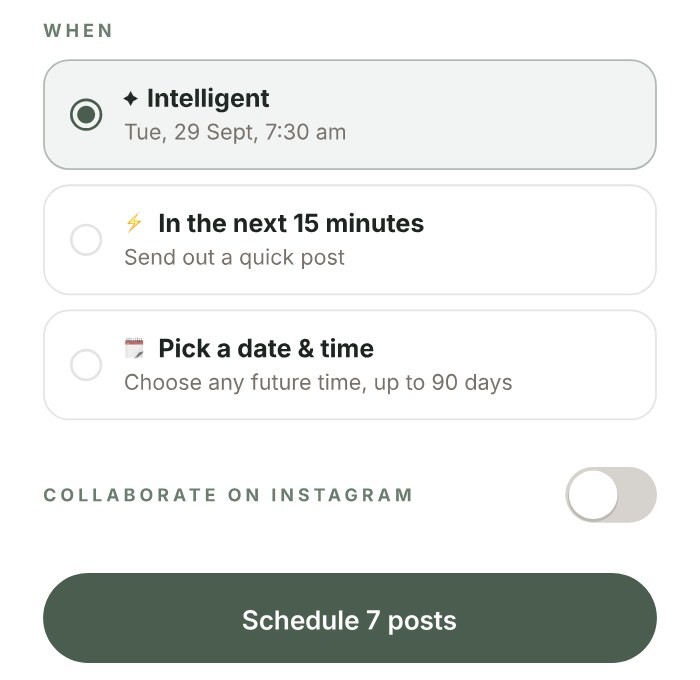
Schedule once for every channel you use. A take on this morning's news can go out in the next 15 minutes, and everything else waits for the next open slot in your week.
No card required.

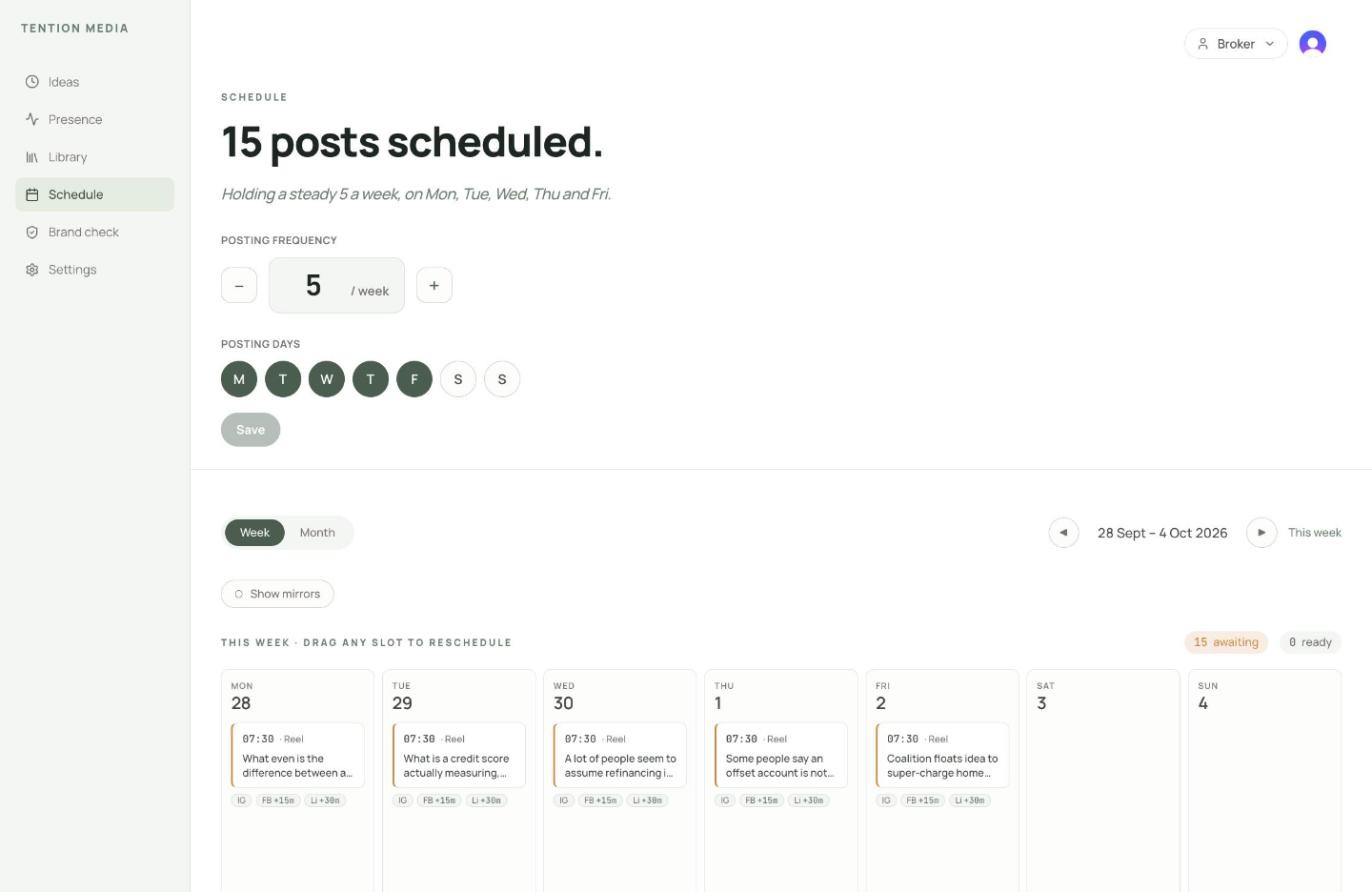
Set how many videos a week and which days you post. Tention puts each new video in the next open slot and sends it to every channel you've ticked, so there's no scheduling each account on its own.
Your posting week
5 a week, Monday to Friday
Mon 28

Posted
7:30am
Tue 29
Open

7:30am
Wed 30
Open
12:15pm
Thu 1
Open
7:30am
Fri 2
Open
12:15pm
Tue 29, 7:30am
Choose In the next 15 minutes for the take about this morning's news. Your main channel goes first and the others follow shortly after, once the video has uploaded to each one.
Hot Take
2:31pm
The Reserve Bank has left the cash rate on hold.
Rates are on hold again. If I'm about to buy, should I fix now or wait?
⚡ In the next 15 minutes
Send out a quick post
2:45pm
Shortly after
Tick the channels you want and write one caption. Your main channel goes first, and the rest follow shortly after with the same caption.
Where
Primary
YouTube
X
Threads
TikTok
Also send to
Posts shortly after Instagram
YouTube
Posts shortly after Instagram
X
Posts shortly after Instagram
Threads
Posts shortly after Instagram
TikTok
Posts shortly after Instagram
Caption
Waiting for rates to drop before you buy? Here's what I'd weigh up first.
✦ Intelligent
Tue, 29 Sept, 7:30 am
Schedule 7 posts
Tue 7:30am
Shortly after
Shortly after
YouTube
Shortly after
X
Shortly after
Threads
Shortly after
TikTok
Shortly after
Everything you've scheduled sits on one calendar in the web app, a week at a time. If your week changes, drag a post to another day.